


| Calculation | Operation | Number of occurrences | Result | Note |
| {y} |
Time Duration Calculator – How It Works
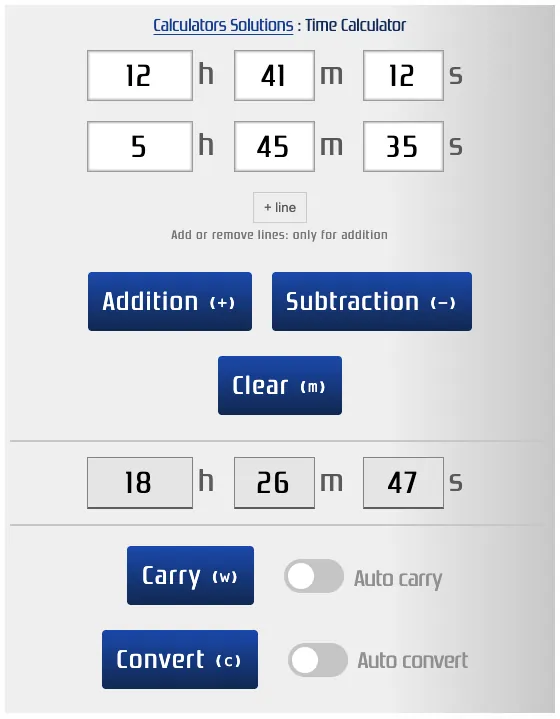
This time calculator makes it easy to add or subtract values in the sexagesimal system. Quickly calculate a duration in hours, minutes, and seconds, taking into account the 60 minutes per hour and 60 seconds per minute.
How to Use It
Simply use your mouse and keyboard to enter the required values. For subtraction, make sure to put the larger time first. If the first row is smaller than the second, the tool automatically adjusts to prevent negative results.
Want a fresh start ? Just click Clear to reset everything.
Adding milliseconds
By default, the calculator works in hours, minutes and seconds. If you need more precision, enable the Milliseconds option located below the input fields: a fourth box then appears on each row, as well as on the result.
Milliseconds range from 0 to 999. As with minutes and seconds, a higher value is automatically capped at 999. The carry works as usual: 1,000 milliseconds become 1 second.
This option is handy to add up lap times (running, swimming, motor racing) or to accumulate durations measured with a stopwatch. Your choice is saved: if you come back to the page, milliseconds will still be shown.
If you turn the option off, any milliseconds you entered are cleared and the calculation goes back to hours, minutes and seconds.
To measure a duration rather than calculate it, use the online stopwatch, which also displays milliseconds.
Smart Carry Feature
By clicking Carry, the calculator saves the result and transfers it to the first row for your next calculation.
Auto Carry
With Auto Carry enabled, results are instantly saved and inserted into the first row – no extra clicks needed.
Time-Saving Keyboard Shortcuts
Boost your productivity with handy shortcuts. Calculate time faster without reaching for your mouse.
Here are the available shortcuts for adding or subtracting durations:
+ ⇝ Add
- ⇝ Subtract
m ⇝ Reset
w ⇝ Carry
c ⇝ Convert the result to days, hours, minutes and seconds
Convert the result
After a calculation, you can convert the result into days, hours, minutes and seconds. Just click the Convert button. If you prefer the conversion to happen automatically after each calculation, enable the option next to the button.
Results History
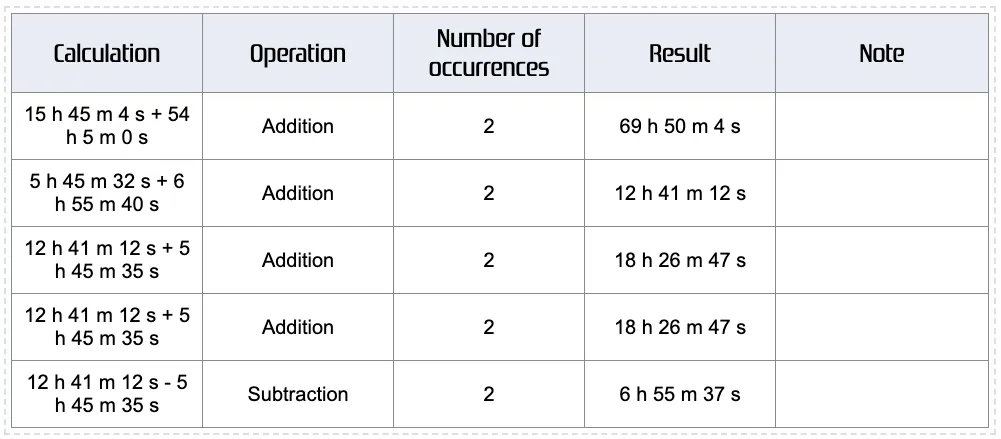
Every operation is saved in a neat results table. Export your data in CSV for spreadsheets or in PDF for printing and sharing.
Practical Example
Quickly Calculate Work Hours
Need to calculate your work time from 5:45:12 to 12:41:35 ? This tool does it instantly (just use the Subtract button).
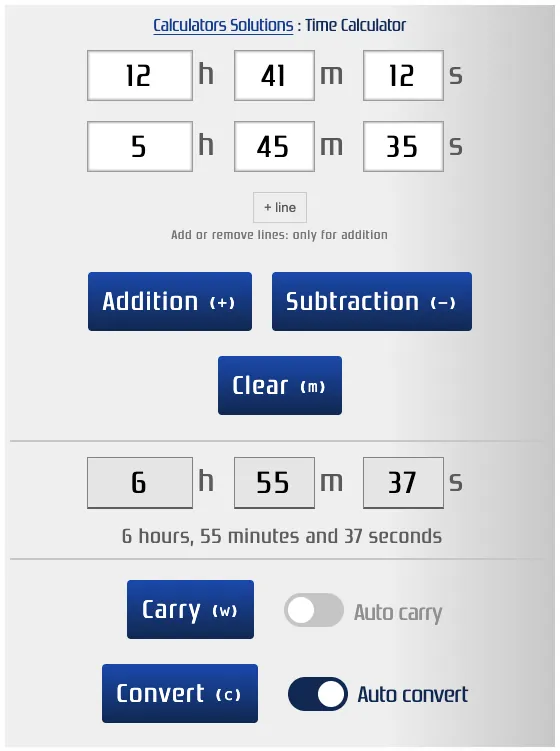
Result: 6 h 55 min 37 sec
Add Multiple Rows
Want to add up several durations at once ? Just add rows and calculate everything in one go. ⚠️ Note: This feature works for additions only. For subtractions, the tool keeps only the first two rows.
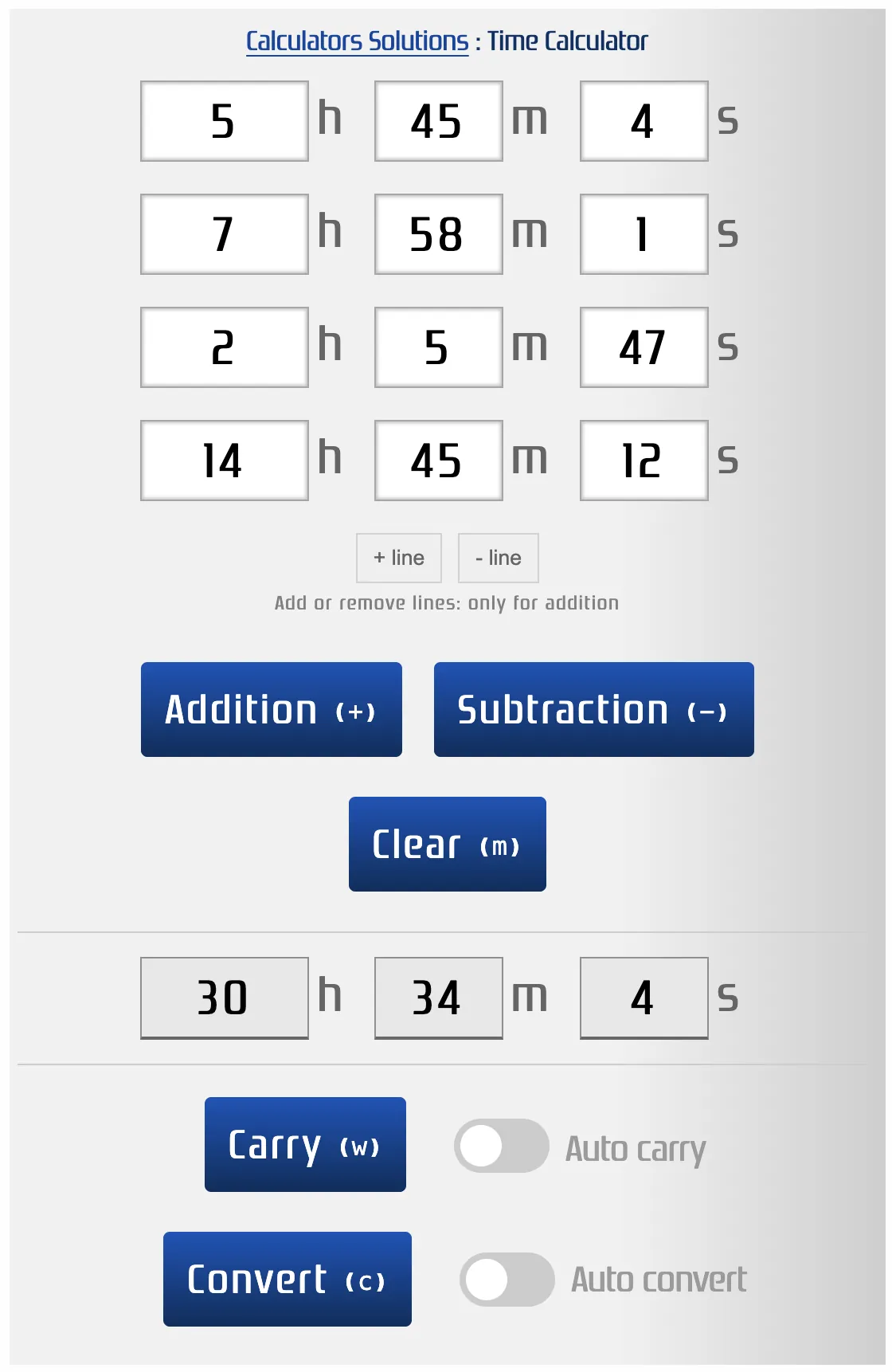
Calculate multiple durations
Another tool is also available and lets you calculate multiple durations in a row.
Duration converter
To convert one unit of time into another, you can use the duration converter.